
Desk Setup
Anker Charger 140W 4-Port Review (2026): One Brick, Four Ports, One Catch
A research-based review of the Anker Charger (140W, 4-Port, PD 3.1) A2697: a 295 g GaN brick with a touchscreen, a full 140W single-port output, and a power split that quietly drops two ports to 12W.
Research note: This guide compares published specifications and current retail information. It is not presented as a hands-on test.
Disclosure: As an Amazon Associate I earn from qualifying purchases. Product links marked “paid link” may earn AmeChoi a commission.
Contents
- Anker Charger 140W 4-Port at a glance
- What the A2697 gets right
- A full 140W out of one port, which is the whole point
- The screen replaces a guess with a number
- Two high-power ports, not one
- It is built for wall outlets that were not designed for it
- It speaks the older languages too
- The limitations to accept
- Four devices at once is not what this charger is for
- 295 g is a real object hanging off the wall
- The 140W ceiling depends on the port you choose and the cable you use
- No per-port control is documented
- Which charger is actually right for you
- Who should buy it?
- Frequently asked questions
- Can it charge a large laptop at full speed?
- What happens to laptop charging when I plug in a phone as well?
- Does it work overseas?
- Is the USB-A port fast?
- Does the screen do anything besides display?
- Is GaN meaningful here, or marketing?
- Final verdict
- Sources and methodology
The charging pouch is the last thing in the bag that never got smaller. The laptop went thin, the phone went wireless, the earbuds went into a case the size of a stone — and next to all of it sits a bundle of a laptop brick, a phone cube, and whatever came with the tablet, tangled together by three cables that all look identical in the dark.
Consolidating that pile into one charger is an old idea. What changed is that a single USB-C port can now carry enough power for a large laptop, which means the manufacturer’s brick — the heaviest and least shareable item in the pouch — is finally the thing you can leave behind rather than the thing everything else has to work around.
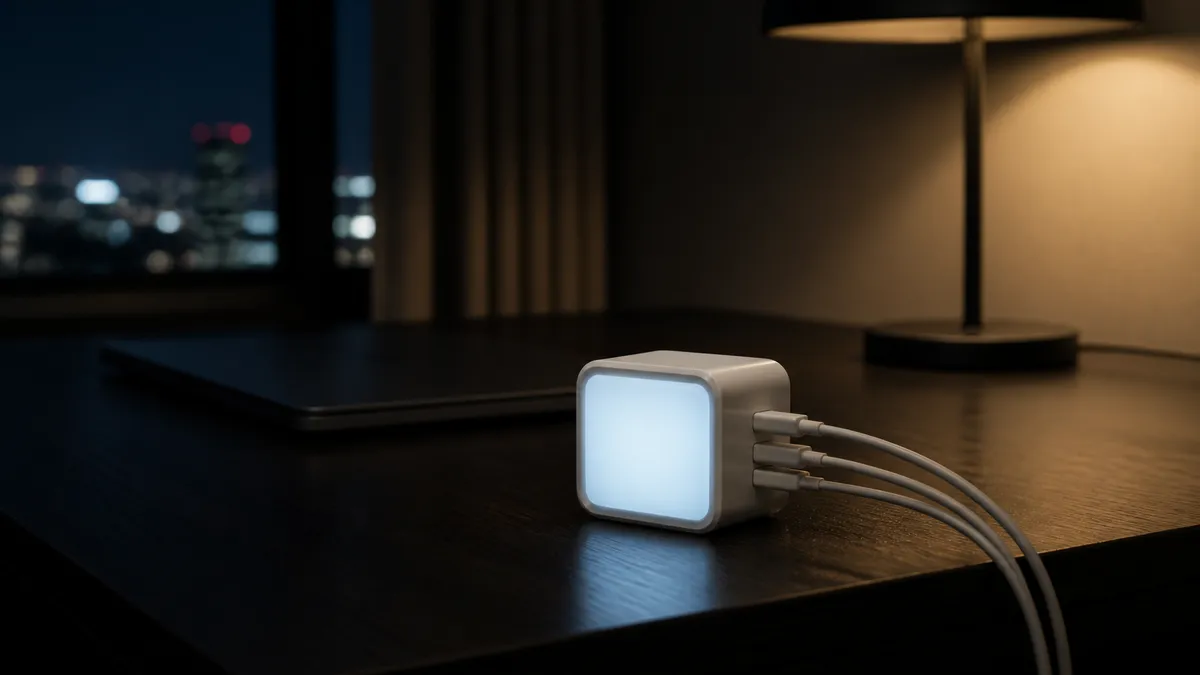
The Anker Charger (140W, 4-Port, PD 3.1), model A2697, is a direct attempt at that job: four ports, gallium nitride internals, 295 g (10.4 oz) on the wall, and a touchscreen that shows what each port is delivering. The short answer: this is the right charger if one demanding laptop plus a couple of small devices describes your bag, and the wrong one if you expect four devices to charge quickly at the same time. Anker publishes the whole power-sharing table, and reading it before you buy is the difference between a satisfying purchase and a confusing one.
One laptop at full speed, plus the small stuff
Anker Charger (140W, 4-Port, PD 3.1)
A2697
A GaN desk-and-travel charger that pushes a full 140W out of a single USB-C port and shows exactly what each port is doing on a touchscreen. The catch is the split: two devices are generous, four are not.
- Best for
- Laptop owners who want one wall brick to replace the whole charging pouch
- Ports
- 3 x USB-C, 1 x USB-A
- Single-port max
- USB-C1 / C2 28V 5A (140W); USB-C3 40W; USB-A 33W
- Four devices at once
- 134W total (65W + 45W + 12W + 12W)
- Size and weight
- 69 x 69 x 36 mm, 295 g (10.41 oz)
Anker Charger 140W 4-Port at a glance
| Specification | Anker Charger (140W, 4-Port, PD 3.1) |
|---|---|
| Model | A2697 |
| Ports | 3 x USB-C, 1 x USB-A |
| USB-C1 / USB-C2 (single port) | 28V ⎓ 5A, 140W max |
| USB-C3 (single port) | 40W max |
| USB-A (single port) | 33W max |
| Total with four devices | 134W |
| Input | 100-240V~, 50 / 60Hz, 2.6A max |
| Protocols | BC1.2, Apple, QC3.0, PD3.0, FCP, AFC, PPS |
| Size | 69 x 69 x 36 mm (2.72 x 2.72 x 1.42 in) |
| Weight | 295 g (10.41 oz), charger only |
All values above are from Anker’s published product page, specification article and power-distribution article, linked at the end. One inconsistency worth knowing before you compare: the specification article lists the charger at 10.41 oz / 295 g, while the retail product page lists a total weight of 13.93 oz / 395 g — the difference is consistent with the bundled cable being included in the second figure. Note also the shape of the numbers: this is a charger with two strong ports and two supporting ones, not four equal ones.
What the A2697 gets right
A full 140W out of one port, which is the whole point
The headline number is not marketing rounding. Anker publishes USB-C1 and USB-C2 at 28V ⎓ 5A — 140 watts from a single port, which is what allows the biggest USB-C laptops to charge at their designed speed instead of their tolerated speed. That is the specific capability that lets the manufacturer’s brick stay home, and it is the reason to consider this charger over the far more common 65W and 100W multi-port models.
One consequence is worth internalizing before you buy: a laptop that negotiates the more usual 20V ceiling draws at most 100W (20V x 5A) no matter what the charger can offer. The extra headroom is real, but it is claimed by machines that actually ask for the higher voltage — and by a cable rated to carry it. If nothing in your bag asks for more than 100W, you are paying for a ceiling you will not reach.
The screen replaces a guess with a number
Chargers fail quietly. A cable that only carries 60W, a port that de-rated itself because a fourth device joined, a laptop that is discharging while plugged in — none of that announces itself. Anker describes the A2697’s screen as a touchscreen that gives instant updates on power, port status and temperature — the information is on the brick itself rather than behind a companion app.
This matters more on this particular charger than it would on a simple one, because its output genuinely changes depending on what else is plugged in (see below). A charger whose behavior is conditional needs a readout, and Anker built one in. In practice the screen turns “is this charging fast?” from a suspicion you carry around into something you settle in two seconds.
Two high-power ports, not one
Plenty of multi-port chargers have a single fast port and a set of afterthoughts. Here both USB-C1 and USB-C2 reach the top output on their own, and when they are the only two ports in use Anker publishes an even 70W + 70W split. That is enough to charge two mainstream laptops simultaneously at respectable speed, which is a genuinely useful capability for a two-person desk or a laptop-plus-tablet workflow.
It is built for wall outlets that were not designed for it
The plug folds, the body is a 69 mm cube with what Anker describes as a stacked design and covered pins to keep the connection stable, and Anker describes the ports as having “generous spacing” between them — which is what keeps thick cable ends from fighting each other. Combined with a 100-240V input range, that makes it a plausible travel charger for international trips with a plug adapter — the same brick on a hotel nightstand and on the desk at home.
It speaks the older languages too
The published protocol list includes BC1.2, Apple, QC3.0, PD3.0, FCP, AFC and PPS. The practical meaning is that the USB-A port and the lower-power USB-C port will do something sensible with older phones, e-readers, battery packs and accessories, instead of trickling at the lowest common denominator. For a charger meant to replace three others, breadth is as valuable as peak output.
The limitations to accept
Four devices at once is not what this charger is for
This is the single most important thing to understand, and Anker publishes it plainly. With all four ports occupied, the split is 65W + 45W + 12W + 12W — 134W total. The two secondary ports drop to 12W each, which is slow phone charging and slower tablet charging.
The pattern repeats one step down. With three devices, the published allocations are either 65W + 45W + 30W, or 100W for one USB-C port and 12W each for the other two. And if you use only USB-C3 and USB-A together — the two “small” ports — they share 24W, giving 12W to each, even though USB-A alone can deliver 33W.
None of this is a defect; it is how a 140W supply divides itself. But it means the honest use case is one big device and one or two small ones, or two laptops. If your mental picture was “four devices, all fast, one brick,” this charger will disappoint you, and so will every other charger with this power budget.
295 g is a real object hanging off the wall
At 295 g and a 69 mm (2.7 in) cube, this is small for what it does and not small in absolute terms. In a loose wall socket, or a socket mounted sideways behind furniture, the weight is enough to matter — the covered pins and folding plug help, but physics is physics. A desk power strip is often the better home for a charger this heavy, and it has the side benefit of putting the screen somewhere you can actually read it.
The 140W ceiling depends on the port you choose and the cable you use
140W is available from USB-C1 and USB-C2 only. USB-C3 tops out at 40W and USB-A at 33W. Plug a hungry laptop into the wrong port and it charges, slowly, with no error message — the screen is the only thing that will tell you. Cables matter just as much, and Anker is explicit about it: “An E-Marker cable is required to achieve charging speeds above 100W.” A spare from the drawer is not a safe substitute — use the bundled cable, or one explicitly rated for 140W.
No per-port control is documented
The touchscreen is presented as a readout, not a configuration screen. Anker publishes one fixed allocation table and documents no per-port setting or companion app, so you cannot tell the charger to prioritize the tablet over the phone. On a charger whose whole personality is conditional power sharing, the ability to steer that sharing would be the natural next feature, and it is not here.
Which charger is actually right for you
| If you want… | Choose |
|---|---|
| To leave a laptop brick at home and still charge a phone and earbuds | This charger — the 140W port is the reason it exists |
| Two laptops charging together at a shared desk | This charger, using USB-C1 and USB-C2 only (70W + 70W) |
| Four devices all charging quickly at once | Nothing in this power class — either a higher-output charger or two chargers |
| The lightest possible bag for a phone and earbuds only | A small single- or dual-port GaN charger; 140W is wasted budget and weight |
| To see and understand what your charging setup is doing | This charger — the screen is the differentiator, not the wattage |
The pattern in that table is that the A2697 is a laptop charger that happens to have extra ports, not a four-device charger that happens to be strong. Buying it for the first reason works out well. Buying it for the second is where the disappointment comes from.
For travelers assembling the rest of the kit, our GL.iNet Slate 7 travel router review covers the other item that tends to earn its place in the same pouch.
Who should buy it?
This charger is a good fit if:
- You carry a large USB-C laptop and want to stop carrying its dedicated brick.
- Your typical load is one demanding device plus one or two small ones.
- You share a desk and occasionally need two laptops charging at once.
- You travel internationally and want one brick plus a plug adapter.
- You like knowing what a charger is doing rather than assuming.
Skip it if:
- You routinely need four devices charged quickly at the same time.
- Nothing you own draws more than 100W — a cheaper 100W-class charger does the same job.
- You need per-port control or app-based configuration.
- Weight in a shirt pocket matters more than laptop-class output.
Frequently asked questions
Can it charge a large laptop at full speed?
If the laptop is rated for it and is connected to USB-C1 or USB-C2 with an appropriately rated cable, the charger supplies up to 140W from that port — that is its published single-port maximum. Laptops that negotiate a 20V maximum will draw up to 100W regardless of the charger.
What happens to laptop charging when I plug in a phone as well?
It depends which port the phone uses. Anker’s published two-port allocations are 100W + 40W when the second device is on USB-C3, and 100W plus up to 33W when it is on USB-A. Beyond two devices it depends on the combination: Anker publishes both a 65W + 45W + 30W split and a 100W + 12W + 12W one for three ports, and 65W + 45W + 12W + 12W for four. The screen reports what the charger is currently delivering, so you can move a cable and see the effect.
Does it work overseas?
The published input range is 100-240V at 50/60Hz, which covers the world’s mains voltages. You still need a physical plug adapter for the outlet shape; the charger does not change its own prongs beyond folding them flat.
Is the USB-A port fast?
On its own, up to 33W — respectable for a legacy port, and useful for older phones and battery packs. Paired only with USB-C3 it drops to 12W, and in a full four-device load it is 12W as well. Treat USB-A as the compatibility port, not the quick one.
Does the screen do anything besides display?
It reports power, port status and temperature. Anker describes it as a touchscreen, but the power allocation itself follows the published table automatically — treat the screen as a readout, not a control panel.
Is GaN meaningful here, or marketing?
It is the reason a 140W supply fits in a 69 mm cube at 295 g. Gallium nitride switching runs efficiently enough to shrink the internals; the practical result is the size and weight, both of which Anker publishes.
Final verdict
The Anker Charger (140W, 4-Port, PD 3.1) succeeds at exactly the job it was built for: retiring a laptop brick without adding a second charger for everything else. The 140W single-port output is the real capability, the touchscreen is the feature that makes a conditional charger comprehensible, and the 295 g cube is small enough that “one brick for the trip” stops being a compromise.
What buyers should decide in advance is how many things they will plug in at once. Anker deserves credit for publishing the full sharing table rather than hiding it — but the table says what it says: four devices means two of them are getting 12W. Read it as a strong two-port charger with two convenience ports, and it is an easy recommendation. Read it as four fast ports, and no amount of wattage on the box will fix the mismatch.
Check that your laptop actually asks for more than 100W, then buy
Anker Charger (140W, 4-Port, PD 3.1)
A2697
A GaN desk-and-travel charger that pushes a full 140W out of a single USB-C port and shows exactly what each port is doing on a touchscreen. The catch is the split: two devices are generous, four are not.
- Best for
- Laptop owners who want one wall brick to replace the whole charging pouch
- Ports
- 3 x USB-C, 1 x USB-A
- Single-port max
- USB-C1 / C2 28V 5A (140W); USB-C3 40W; USB-A 33W
- Four devices at once
- 134W total (65W + 45W + 12W + 12W)
- Size and weight
- 69 x 69 x 36 mm, 295 g (10.41 oz)
Sources and methodology
This is a research-based buying guide, not a hands-on test. We have not tested this charger ourselves. Specifications, power-allocation figures and design descriptions were checked against Anker’s published product page and support documentation on August 31, 2026. Retail availability changes independently of these specifications, and the power split described here applies to model A2697 specifically.