
Desk Setup
Anker Magnetic Cable Holder Review: Cables That Stop Falling Behind the Desk
A research-based review of Anker's Magnetic Cable Holder, sold in the US as the Multipurpose Cord Keeper: five magnetic clips, 3.5 mm cables, and an adhesive base rated for up to ten reuses.
Research note: This guide compares published specifications and current retail information. It is not presented as a hands-on test.
Disclosure: As an Amazon Associate I earn from qualifying purchases. Product links marked “paid link” may earn AmeChoi a commission.
Contents
- Anker Magnetic Cable Holder at a glance
- What the Magnetic Cable Holder gets right
- It anchors the cable instead of tidying it afterwards
- Two holding mechanisms cover two different cables
- The adhesive is designed to be undone
- It does not care what the desk is made of
- The limitations to accept
- You cannot check the fit before it arrives
- 3.5 mm is the specification, and thicker cables are the recurring complaint
- The magnets are modest, and owners notice the clip’s orientation
- The naming is a genuine hazard when buying
- It solves one problem and no others
- Magnetic holder vs the other ways to keep cables on a desk
- Who should buy it?
- Frequently asked questions
- Will it hold a thick braided USB-C cable?
- Does it damage the desk when it is removed?
- Can I move it to another desk?
- Does it work with MagSafe cables?
- How many cables can one pad hold?
- Does it work on a painted or textured surface?
- Final verdict
- Sources and methodology
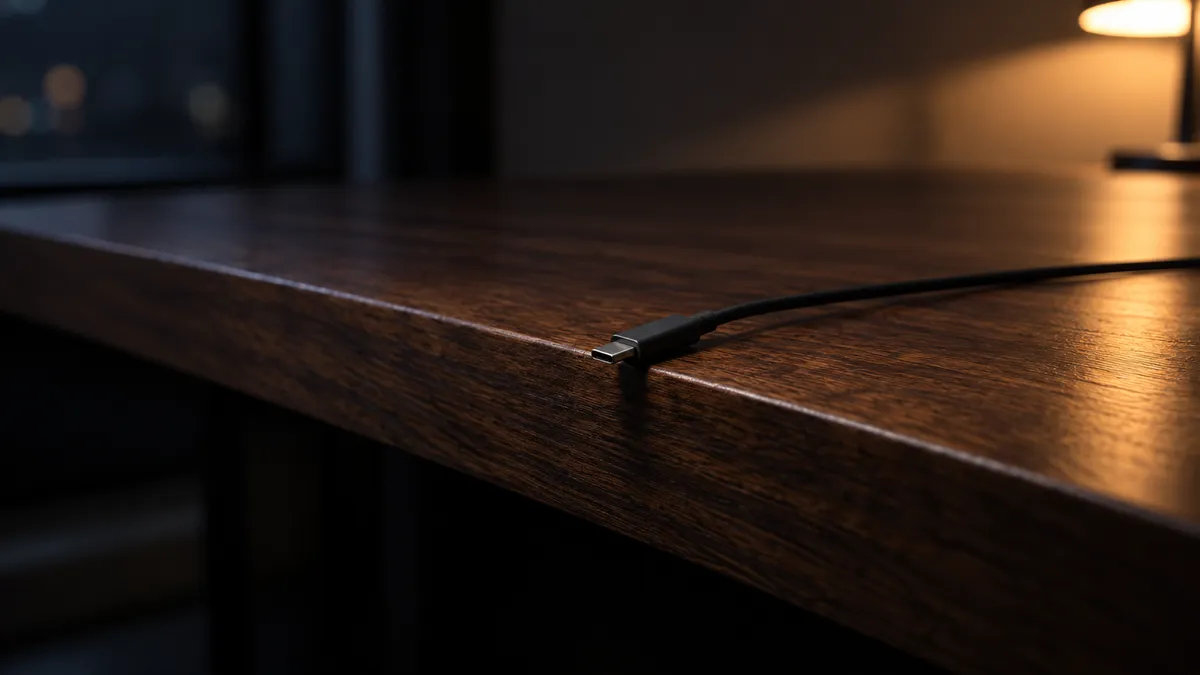
The failure is small enough that most people never name it. A phone finishes charging, the cable is unplugged, and the free end slides over the edge of the desk and disappears down the back. The next time it is needed, the search starts on the floor.
Anker’s answer to that is deliberately unambitious. The Magnetic Cable Holder is an adhesive pad with a magnet inside it and five small magnetic clips that attach to individual cables. Cables you have clipped snap back to the pad; Lightning and MagSafe cables stick to the pad directly, because their connectors are already magnetic. There is no hub, no port, no app, and nothing to charge.
What makes this product harder to review than it looks is not the concept but the documentation. Anker publishes a short feature list for it and essentially nothing else — no dimensions, no weight, no adhesive rating, no magnet strength. That absence shapes the entire recommendation below, so it is worth stating up front rather than burying it.
The short answer: this is a good fix for the specific problem of thin charging cables sliding off a desk edge, and a gamble for anything thicker or heavier, because Anker does not publish the numbers that would let you check the fit before buying.
A small anchor for the one or two cables that live on your desk
Anker Magnetic Cable Holder (Multipurpose Cord Keeper)
A8891 · Adhesive desk pad with magnet
An adhesive pad with a magnet inside and five magnetic clips: clip a cable once, and it snaps back to the same spot on the desk every time it is unplugged.
- Best for
- Slim charging cables that slide off the edge of a desk
- Clips included
- 5 magnetic clips
- Cable size
- Specified for 3.5 mm cables
- Direct hold
- Lightning and MagSafe, no clip needed
- Mounting
- Adhesive, reattachable up to 10 times
Anker Magnetic Cable Holder at a glance
| Specification | Value |
|---|---|
| Name on Anker’s English store | Anker Magnetic Cable Holder |
| Store model | A8891 (from Anker’s product page address) |
| Name used by US retail listings | Multipurpose Cord Keeper |
| Magnetic clips included | 5 |
| Cable size the clips are specified for | 3.5 mm (about 0.14 in) |
| Integrated magnet | Holds Lightning and MagSafe cables directly, without a clip |
| Mounting | Adhesive base, no tools |
| Supported surfaces | Wood, marble, metal, glass “and more” |
| Reusability | Adhesive can be removed, washed, dried and reattached up to 10 times |
| Dimensions | Not published by Anker |
| Weight | Not published by Anker |
| Magnet or adhesive strength | Not published by Anker |
Two rows in that table say “not published,” and that is not an oversight in our research. Anker’s product page for this item lists benefits rather than measurements. Retail listings and third-party sellers do quote figures, but those vary by seller and by regional SKU, so they are not treated as specifications here. The practical consequence is covered under limitations.
What the Magnetic Cable Holder gets right
It anchors the cable instead of tidying it afterwards
Most cable management is remedial. Trays, sleeves and ties collect a mess that already exists and hide it. This product does something narrower and, for a desk cable in daily use, more useful: it gives one cable end a home it returns to every time it is unplugged.
That distinction matters because the cables that annoy people are rarely the permanent ones. The power lead to a monitor is installed once and forgotten. The charging cable that gets picked up and dropped a dozen times a day is the one that ends up on the floor, and it is exactly the cable a tray cannot help with, because it has to stay reachable.
Two holding mechanisms cover two different cables
The pad contains a magnet, so a Lightning or MagSafe connector attaches to it directly — Anker calls this out specifically. Everything else uses one of the five included clips, which crimp onto the cable and then behave like a magnetic end.
The result is one small part that handles both an iPhone cable and a USB-C cable without a second purchase, and five clips is enough to leave one permanently attached to each cable you own on that desk. Attaching a clip to a cable is a one-time action; after that, the cable simply is magnetic.
The adhesive is designed to be undone
Anker states that the adhesive can be removed, washed, left to dry and reattached up to ten times. That is a genuinely useful design decision for a product whose correct position is rarely obvious on the first attempt.
Desk edges are crowded. The right spot for a cable anchor depends on where a laptop sits, which hand reaches for the phone, and whether a drawer opens underneath. A one-shot adhesive turns that into a decision you have to get right immediately; a washable one turns it into something you can adjust after a week of living with it, and again after the next desk.
It does not care what the desk is made of
Anker lists wood, marble, metal and glass as supported surfaces. For a product that attaches by adhesive, breadth here removes the most common reason a desk accessory fails to be useful: clamps need an edge of the right thickness, screw mounts need a surface you are willing to drill, and magnetic bases need steel. An adhesive pad that works on glass and stone covers the desks that defeat all three.
The limitations to accept
You cannot check the fit before it arrives
This is the central problem. Anker does not publish the dimensions, the weight, the adhesive strength or the magnet strength. There is no way to answer “will this hold my cable, and how much desk edge does it occupy” from the manufacturer’s own material.
Recurring themes in publicly posted owner reviews include the unit being physically smaller than product photography suggests, which is what you would expect when nobody can look up a measurement first. For a low-cost accessory that is an acceptable risk, but it is a real one, and it is the reason this review cannot promise a fit.
3.5 mm is the specification, and thicker cables are the recurring complaint
The clips are specified for 3.5 mm cables. Anker does not publish a tolerance above that figure, and owner reviews repeatedly describe thicker or heavier cables bulging in the clip or sitting awkwardly in it.
That pattern lines up with the specification rather than contradicting it, which makes it easy to plan around: check the cable, not the marketing. Slim charging cables are the intended case. Braided cables, high-wattage charging cables and anything with thick strain relief at the connector are the cases where the clip is being asked to do something it was not specified for.
The magnets are modest, and owners notice the clip’s orientation
A second recurring theme in public owner reviews is that the magnetic pull is weaker than expected and that the clip attaches on one face rather than all of them, so the cable has to be presented the right way round.
Neither is a defect; both follow from the product being a resting place rather than a clamp. It holds a cable that is left near the pad. It is not designed to resist a deliberate tug, and it will not hold a cable under tension. If the goal is to stop a cable being pulled away by the weight of a hanging connector, this is the wrong category of product.
The naming is a genuine hazard when buying
The same accessory appears as the Magnetic Cable Holder on Anker’s English store, while US retail listings sell it as the Multipurpose Cord Keeper and Anker’s own US storefront carries a separate item simply called Cable Organizer. Colors and regional SKUs differ.
Before ordering, confirm that the listing states five clips and 3.5 mm cables. That combination identifies the product reviewed here; the name on the page does not.
It solves one problem and no others
There is no cable routing here, no under-desk management, no way to deal with a power strip or a bundle of eight leads. One pad holds the ends of the cables you clip. Buying it expecting a desk-wide solution will disappoint, and that expectation is easy to form from photography of immaculate desks.
Magnetic holder vs the other ways to keep cables on a desk
| If you want… | Choose |
|---|---|
| One or two charging cables to stay at the desk edge, movable later | Anker Magnetic Cable Holder |
| To hide a power strip and a bundle of permanent leads | An under-desk cable tray |
| Cables bound to each other rather than anchored to furniture | Reusable hook-and-loop ties |
| An anchor that will never be moved or removed | Screw-mounted cable clips |
| Fewer cables in the first place, rather than tidier ones | A higher-port charger such as the Anker 140W four-port |
The last row is worth taking seriously. A large share of desk cable clutter is one charging cable per device, and consolidating chargers removes cables outright instead of organizing them. The two approaches combine well: reduce the count first, anchor what remains second.
Who should buy it?
The Magnetic Cable Holder is a good fit if:
- A charging cable slides off your desk daily and you are tired of retrieving it.
- The cables involved are slim charging cables rather than thick braided ones.
- Your desk is glass, stone or another surface that clamps and screw mounts cannot use.
- You expect to reposition the anchor, or to move desks, and want the adhesive to survive that.
- You use Lightning or MagSafe cables, which attach to the pad without a clip at all.
Skip it if:
- You need to manage a power strip, a monitor arm’s worth of leads, or under-desk routing.
- Your cables are thick, braided, or heavy at the connector.
- You want a firm mechanical clamp rather than a magnetic resting place.
- You need to know exact dimensions before buying, because those are not published.
Frequently asked questions
Will it hold a thick braided USB-C cable?
The clips are specified for 3.5 mm cables, and Anker publishes no figure above that. Public owner reviews repeatedly mention thicker cables bulging in the clip. Measure the cable before ordering, and treat braided or high-wattage cables as outside the intended use.
Does it damage the desk when it is removed?
Anker’s design intent is that the adhesive comes off and goes back on — it states the pad can be removed, washed, dried and reattached up to ten times. That implies removal without destruction as normal use rather than an exception. Anker does not publish a surface-safety statement for specific finishes, so on a delicate or hand-finished surface the cautious approach is a test in a hidden spot first.
Can I move it to another desk?
Yes, within the published limit of ten reattachments, and only if the adhesive is cleaned and dried between moves as Anker describes. That is the main practical advantage over a single-use adhesive mount.
Does it work with MagSafe cables?
Anker states that the integrated magnet holds Lightning and MagSafe cables firmly without a clip, since those connectors are magnetic already. For every other cable, a clip does the same job.
How many cables can one pad hold?
Anker publishes the clip count — five — but not a simultaneous capacity for the pad, and the pad’s size is not published either. The honest answer is that five clips let you make five cables magnetic, and how many of those rest on the pad at once is something the published material does not answer.
Does it work on a painted or textured surface?
Anker lists wood, marble, metal and glass, all of which are smooth. Textured, porous and freshly painted surfaces are not on that list and are the classic failure cases for adhesive mounts. Anker’s own instruction is to clean the area before attaching, which is the minimum condition for any of the listed surfaces.
Final verdict
This is a narrow product that does its one job well, sold with unusually thin documentation. The concept is sound, the two holding methods cover the cables most desks actually have, and the reusable adhesive is the detail that separates it from single-use alternatives.
The reservation is not about the design but about what a buyer can verify beforehand. With no published dimensions, weight or holding strength, the only hard number to plan around is 3.5 mm, and the recurring owner complaints — small in person, tight on thick cables, modest magnets — are all consistent with a small accessory built to that figure.
Judge it as an anchor for the one or two slim cables that live at the edge of your desk, and it is a straightforward recommendation. Judge it as desk-wide cable management, and it was never built to be that.
Best for slim charging cables on a desk you may rearrange later
Anker Magnetic Cable Holder (Multipurpose Cord Keeper)
A8891 · Adhesive desk pad with magnet
An adhesive pad with a magnet inside and five magnetic clips: clip a cable once, and it snaps back to the same spot on the desk every time it is unplugged.
- Best for
- Slim charging cables that slide off the edge of a desk
- Clips included
- 5 magnetic clips
- Cable size
- Specified for 3.5 mm cables
- Direct hold
- Lightning and MagSafe, no clip needed
- Mounting
- Adhesive, reattachable up to 10 times
Sources and methodology
This is a research-based buying guide, not a hands-on test. We have not tested the Anker Magnetic Cable Holder ourselves. The specifications above were checked against Anker’s own published product material on September 9, 2026, and every figure quoted here — five clips, 3.5 mm cables, the listed surfaces, and up to ten reattachments — comes from that material. Where Anker publishes nothing, this review says so rather than substituting a retailer’s or seller’s number. Owner reactions are summarized as recurring themes from reviews posted publicly by buyers of the Japanese-market listing for the same accessory, without quoting, scoring or counting them; treat them as patterns rather than measurements. The US retail name and color options come from current retail listings rather than from Anker’s own pages, and naming, colors and availability all vary by region and change independently of these specifications.