
Desk Setup
ELECOM Cat8 Mesh LAN Cable Review (2026): Buy It for the Build, Not the Number
A research-based review of ELECOM's Cat8 mesh patch cable (ECLD-OCM): 30AWG stranded copper, a 9,000-cycle flex rating, dual shielding, and an honest look at what Cat8 changes on a home network.
Research note: This guide compares published specifications and current retail information. It is not presented as a hands-on test.
Disclosure: As an Amazon Associate I earn from qualifying purchases. Product links marked “paid link” may earn AmeChoi a commission.
Contents
- ELECOM Cat8 mesh cable at a glance
- What this cable gets right
- Stranded copper behaves like a patch cable should
- The tab is the part that breaks, and it is protected
- Full shielding for cables that live in a bundle
- A jacket rated for where cables actually live
- The limitations to accept
- Cat8 was written for the data center, not your desk
- Your ports decide your speed, and a cable cannot raise them
- Shielding is a system property, not a cord property
- Braided and 5.2 mm means it is not a hide-it cable
- Cat8 vs Cat6A for a home or office desk
- Who should buy it?
- Frequently asked questions
- Will a Cat8 cable make my internet faster?
- I have a 2.5 Gb/s or 10 Gb/s port. Do I need Cat8?
- Is Cat8 backward compatible?
- How long can a Cat8 run be?
- Is stranded conductor worse than solid?
- Does the mesh jacket do anything, or is it decoration?
- Final verdict
- Sources and methodology
Wired networking is supposed to be the boring part of a desk. It usually is, right up until a video call stutters on a machine that is plugged in, and the first suspect becomes the flat gray cable that has been folded behind the desk since the last apartment. From there the search leads to a shelf of cables sorted by a single number, and the biggest number available is Category 8.
ELECOM’s Cat8 mesh cable (ECLD-OCM) sits at the top of that shelf: a braided-jacket patch cable rated by its maker to 2,000 MHz, with 40GBASE-T on the supported-standards list. It is a genuinely well-made cord. It is also a good example of why the number on the bag is the least useful thing about it.
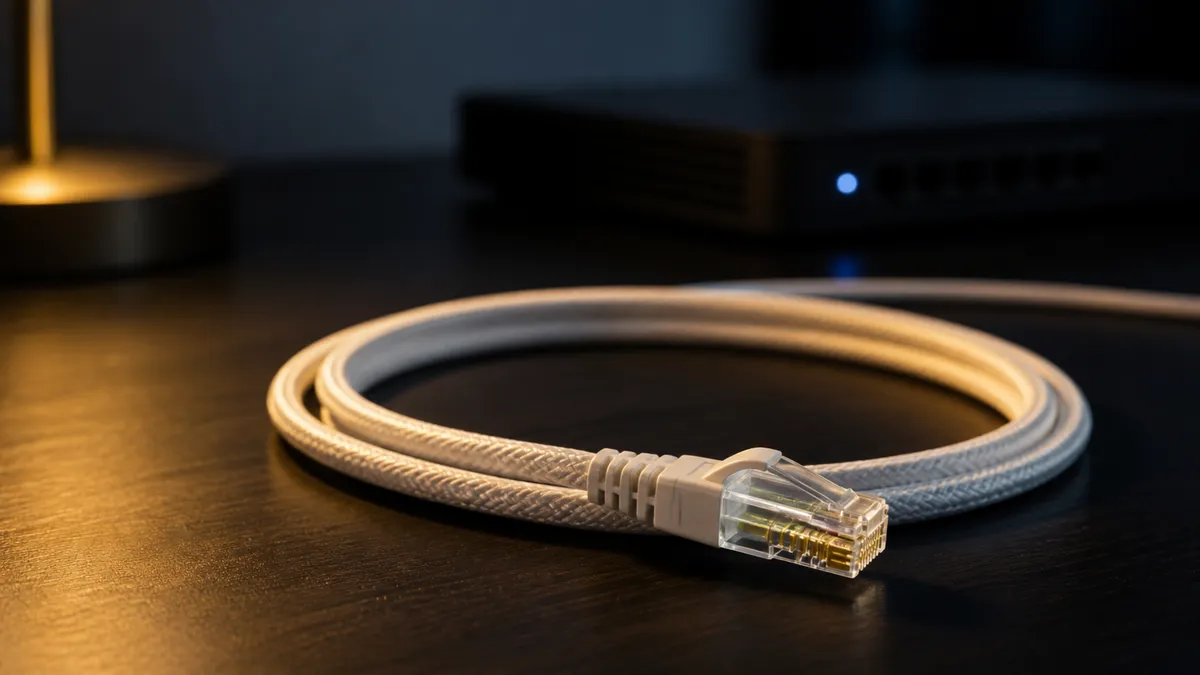
The short answer: buy this cable for its construction, not its category. Cat8 is a data center specification, and nothing in a normal home or office will negotiate a link that needs it. What you are actually paying for here is stranded 30AWG copper that coils instead of fighting you, a braided 5.2 mm (0.2 in) jacket, full shielding, and a connector ELECOM rates for 9,000 flex cycles — which is the part of a patch cable that actually fails.
A durable short patch cable, with a spec sheet you can ignore
ELECOM Cat8 Mesh LAN Cable
ECLD-OCM/BK10
A patch cable built around durability rather than speed: 30AWG stranded copper that coils willingly, a braided 5.2 mm flame-retardant jacket, dual shielding, and a connector ELECOM rates at 9,000 flex cycles.
- Best for
- Short desk runs that get re-plugged often, where the latch tab is what fails
- Category
- Cat8 compliant, rated to 2,000 MHz, 40GBASE-T listed
- Conductor
- 30AWG stranded, 8 cores, dual shield
- Jacket
- About 5.2 mm (0.2 in) braided mesh, flame-retardant to JIS C 3005
- Reviewed model
- ECLD-OCM/BK10, 1 m (3.3 ft), black
ELECOM Cat8 mesh cable at a glance
| Specification | ELECOM ECLD-OCM (mesh) |
|---|---|
| Model reviewed | ECLD-OCM/BK10 (1 m, black) |
| Category | Cat8 compliant, rated to 2,000 MHz |
| Listed standards | 10BASE-T, 100BASE-TX, 1000BASE-T, 1000BASE-TX, 10GBASE-T, 40GBASE-T |
| Conductor | 30AWG stranded, 8 cores |
| Shielding | Dual shield construction |
| Cable diameter | About 5.2 mm (0.2 in) |
| Jacket | Braided mesh, flame-retardant to JIS C 3005 (the Japanese Industrial Standard for wire flammability) |
| Connector | RJ45 both ends, tab protector, passed a 9,000-cycle flex test |
Those figures are ELECOM’s published specifications for the 1 m black version, not our measurements, and this review is scoped to that variant. The flex-cycle result in particular is the company’s own test, and it is worth reading as a design intent rather than a warranty.
What this cable gets right
Stranded copper behaves like a patch cable should
The conductor is 30AWG stranded rather than solid. Solid-core cable is the right choice inside walls, where it is pulled once and never moved again. A cable that lives on a desk gets coiled, pinched behind furniture, and unplugged for travel, and stranded copper tolerates that cycle far better. Paired with a 5.2 mm (0.2 in) jacket, the result is a cord that takes a loop and stays there instead of springing back into the desk.
The tab is the part that breaks, and it is protected
Anyone who has managed more than a handful of cables knows the failure mode: the little plastic latch snaps off, and from then on the plug slides out whenever the desk moves. ELECOM fits a protector over that tab and publishes a 9,000-cycle flex test result for the connector. That is the specification here most likely to matter to you five years from now.
Full shielding for cables that live in a bundle
The dual shield construction targets the environment behind a real desk: a power strip, a monitor cable, a charger brick, and the network cable all running through the same few inches of space. Shielded construction is designed to reduce interference from neighboring cables and equipment. Whether it changes anything you can perceive depends on how noisy your particular tangle is — but it is a reasonable thing to buy for, and unlike the category number, it is a property of the cable itself.
A jacket rated for where cables actually live
The braided mesh sleeve resists the abrasion that comes from being dragged past a desk leg, and the outer sheath uses a flame-retardant material conforming to JIS C 3005, the Japanese Industrial Standard covering wire flammability. Cables spend their lives under rugs, behind heaters, and inside furniture, and a jacket specification is a more honest reason to spend money on one than a bandwidth figure your hardware will never request.
The limitations to accept
Cat8 was written for the data center, not your desk
Category 8 is defined for two-connector, 30-meter (about 98 ft) channels running 25GBASE-T and 40GBASE-T between switches and servers, at frequencies up to 2 GHz. The IEEE task force behind those two Ethernet types, P802.3bq, completed its work in 2016; the cabling category was published in ANSI/TIA-568-C.2-1 in the same year. Every part of that description — the 30-meter reach, the two-connector channel, the switch-to-server use case — describes a rack, not a living room.
Your ports decide your speed, and a cable cannot raise them
A cable does not negotiate a link; the two devices on its ends do. Unless both of them have 25GBASE-T or 40GBASE-T interfaces, the connection runs at whatever they agree on, and a Cat8 cord carries it exactly as a correctly made Cat6A cord would. If a wired connection feels slow, the cause is much more likely to be the router, the switch port, the network adapter, or the internet service than the patch cable — and replacing the cable will not reveal which.
Shielding is a system property, not a cord property
Data center vendors sell Category 8 as a complete set — cable, connectors, and patch cords engineered together — and describe correct termination of the shield as part of what the system delivers. A single shielded cord dropped into a home network is not the same thing as that channel. The construction here is good; what happens at the jacks on either end is the part you do not control.
Braided and 5.2 mm means it is not a hide-it cable
This is a round, sleeved cable of about 5.2 mm (0.2 in). It coils well, but it is not the cord to slip under a door, run beneath a rug, or tuck along a baseboard without being seen. If invisibility is the goal, buy a flat or slim cable made for that instead of trying to flatten this one.
Cat8 vs Cat6A for a home or office desk
| If you want… | Choose |
|---|---|
| A short, tough patch cable that survives constant re-plugging | This Cat8 mesh cable |
| The cheapest correct cable for a 1 Gb/s or 2.5 Gb/s link | Any well-made Cat6A cord |
| A cable that disappears under a rug or door | A flat or super-slim line |
| A permanent run inside a wall | Solid-core cable installed as a system |
Category 6A is specified to 500 MHz, which is already far beyond what consumer equipment asks of it. The practical difference between a good Cat6A patch cord and this Cat8 one, on any link your gear can actually negotiate, is build quality — so compare the jacket, the conductor, and the connector, and treat the category number as a tiebreaker at most.
Who should buy it?
This cable is a good fit if:
- You unplug and re-route cables often, and you have broken a latch tab before.
- Your network cable shares a cramped channel with power and video cables.
- You want a short run between a router, a switch, and a desk that will outlast the hardware on both ends.
- You prefer a cable with published construction specifications over an unbranded bag.
Skip it if:
- You are buying it to make an internet connection faster. It will not.
- You need the cable to be invisible under a rug or a door.
- You are wiring inside walls, where solid-core cable installed as a system is the correct choice.
- A correctly made Cat6A cord already does the job, which for most desks it does.
Frequently asked questions
Will a Cat8 cable make my internet faster?
No. Internet speed is set by your service, your router, and the negotiated link between devices. Replacing a working cable with a higher category does not change any of those. The exception is a cable that is damaged, miswired, or genuinely obsolete — in which case the fix is a working cable, not specifically a Cat8 one.
I have a 2.5 Gb/s or 10 Gb/s port. Do I need Cat8?
No. Those link rates are within the reach of properly made Cat6A cabling at normal desk distances. Cat8 will work, but it is not the requirement — and buying Cat8 does not enable a rate your ports do not support.
Is Cat8 backward compatible?
ELECOM lists this cable as supporting everything from 10BASE-T through 40GBASE-T, so it operates normally with older equipment. It uses standard RJ45 connectors on both ends.
How long can a Cat8 run be?
The category is specified for channels up to 30 meters (about 98 ft) with two connectors. The 1 m (3.3 ft) cord reviewed here sits far inside that limit — and a long run is exactly the case where a normal Cat6A cable would serve you just as well.
Is stranded conductor worse than solid?
Different, not worse. Stranded is the standard choice for patch cords because it flexes; solid is the standard choice for permanent runs because it performs better over long distances and terminates into wall jacks. A 1 m desk cable is squarely patch-cord territory.
Does the mesh jacket do anything, or is it decoration?
It is abrasion resistance first and appearance second. The specification that matters more is underneath it: the flame-retardant sheath material and the flex-tested connector.
Final verdict
This is a well-built patch cable wearing a specification it will never need. Stranded 30AWG copper, a braided jacket, dual shielding, a flame-retardant sheath, and a connector ELECOM rates at 9,000 flex cycles add up to a cord that stays plugged in and keeps its shape — the two things a desk cable is actually asked to do.
What it will not do is speed up your connection, and any listing that implies otherwise is selling the number rather than the cable. Buy it because you are tired of replacing cords with broken latches, buy the shortest one that reaches, and let the 2,000 MHz rating be a curiosity rather than a reason.
Buy it for the build; the category number is a curiosity
ELECOM Cat8 Mesh LAN Cable
ECLD-OCM/BK10
A patch cable built around durability rather than speed: 30AWG stranded copper that coils willingly, a braided 5.2 mm flame-retardant jacket, dual shielding, and a connector ELECOM rates at 9,000 flex cycles.
- Best for
- Short desk runs that get re-plugged often, where the latch tab is what fails
- Category
- Cat8 compliant, rated to 2,000 MHz, 40GBASE-T listed
- Conductor
- 30AWG stranded, 8 cores, dual shield
- Jacket
- About 5.2 mm (0.2 in) braided mesh, flame-retardant to JIS C 3005
- Reviewed model
- ECLD-OCM/BK10, 1 m (3.3 ft), black
Sources and methodology
This is a research-based buying guide, not a hands-on test. We have not tested this cable ourselves. Every specification above comes from ELECOM’s own published specification table for the ECLD-OCM/BK10, read on August 28, 2026, and the standards context comes from the cabling and IEEE references below. Retail availability changes independently of these specifications.
- ELECOM Direct store listing: ECLD-OCM/BK10 published specifications
- ELECOM product page: Cat8 LAN cable, mesh, ECLD-OCM/BK10
- Siemon: Category 8 and 8.2 systems, two-connector 30-meter channels for 25 and 40 Gig switch-to-server applications
- IEEE P802.3bq 25G/40GBASE-T Task Force
- ANSI/TIA-568 cabling standard overview, including category bandwidths