
Desk Setup
ScanSnap iX1300 Review: A Compact Scanner for Small Desks?
A research-based ScanSnap iX1300 review covering its compact U-turn design, 30 ppm duplex scanning, return path, software limits, and who should buy it.
Research note: This guide compares published specifications and current retail information. It is not presented as a hands-on test.
Disclosure: As an Amazon Associate I earn from qualifying purchases. Product links marked “paid link” may earn AmeChoi a commission.
Contents
- ScanSnap iX1300 specifications
- Why the U-turn design matters
- Two paper paths solve different problems
- The automatic feeder is for ordinary documents
- The front return path is for awkward originals
- Scan quality: excellent for records, not archival photography
- ScanSnap Home is both the strength and the constraint
- Wi-Fi and USB: useful, with one dated detail
- iX1300 vs a multifunction printer
- iX1300 vs ScanSnap iX2500
- Living with the iX1300
- A scanning inbox makes the hardware useful
- File naming still deserves attention
- Maintenance is normal
- Some originals should remain on paper
- Who should buy it?
- Frequently asked questions
- Can the ScanSnap iX1300 scan both sides at once?
- Can it scan without a computer?
- Does it have OCR?
- Can it scan photos?
- Is the iX1300 portable?
- Final verdict
- Sources and methodology
Paper rarely arrives in a convenient batch. It appears as one receipt beside the keyboard, a medical form in a bag, three pages from school, and a contract that must be kept but not seen every day. A multifunction printer can scan all of it. The problem is whether the lid ever gets opened.
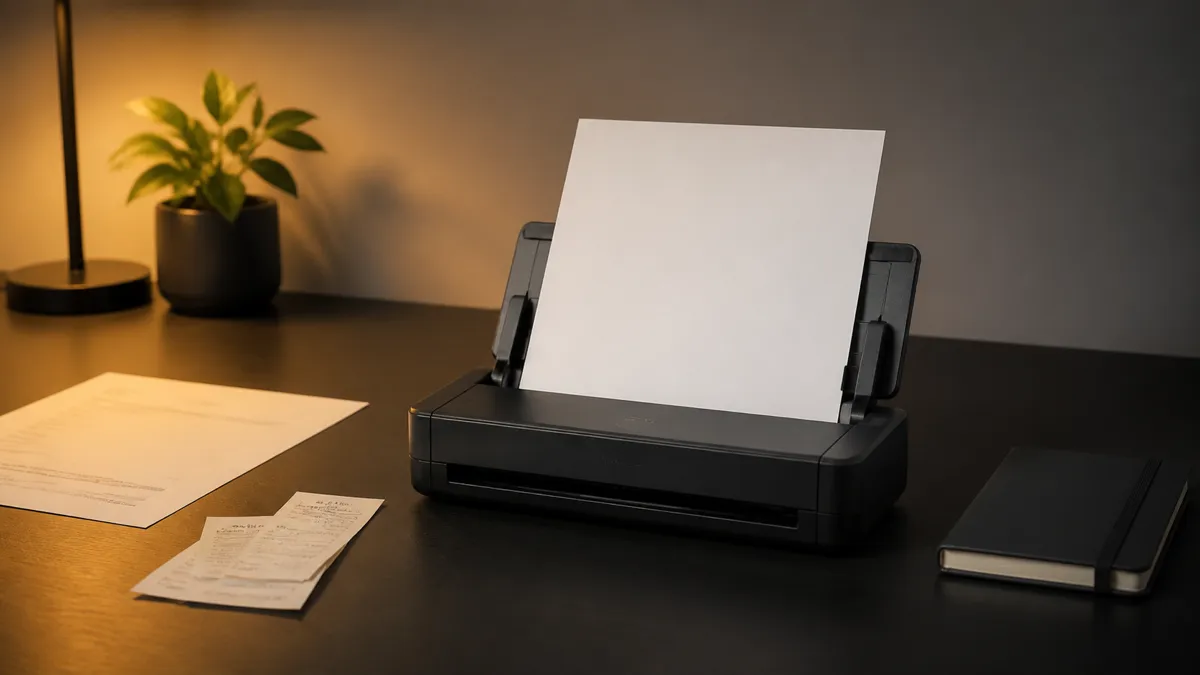
ScanSnap iX1300 is designed around a different idea: a scanner small enough to remain within reach and fast enough that paper does not become a weekend project. Its U-turn feeder scans ordinary sheets without sending them out behind the machine. A separate front path handles cards, folded paper, and booklets up to 2 mm thick.
The result is one of the most convincing document scanners for a shallow desk. It can scan both sides at up to 30 pages per minute, holds 20 sheets, connects over Wi-Fi or USB, and turns batches into searchable files through ScanSnap Home.
There are limits. It is expensive compared with a printer’s built-in scanner, uses 2.4GHz Wi-Fi, has no touchscreen, and does not support standard TWAIN or ISIS drivers. Buy it for a focused ScanSnap workflow, not as a universal imaging device.
Best for a small paperless desk
ScanSnap iX1300
PA03805-B105
A compact desktop document scanner that can batch-scan ordinary sheets and separately feed cards, folded pages, and booklets through its front return path.
- Best for
- Small desks that still need fast receipt and document scanning
- Feeder
- 20-sheet automatic document feeder
- Paper paths
- U-turn ADF and front return path
- Connections
- 2.4GHz Wi-Fi and USB
ScanSnap iX1300 specifications
| Specification | ScanSnap iX1300 |
|---|---|
| Scanner type | Duplex automatic document feeder plus return-path manual feeder |
| ADF capacity | 20 sheets |
| Rated ADF speed | Up to 30 pages per minute / 60 images per minute |
| Optical resolution | 600 dpi |
| Return-path speed | About 5 seconds per sheet in standard modes |
| Connections | USB and 2.4GHz Wi-Fi |
| Closed dimensions | 11.7 × 4.5 × 3.3 inches |
| Weight | 4.4 pounds |
| Standard outputs | JPEG, PDF, searchable PDF |
| Main software | ScanSnap Home |
| TWAIN / ISIS | Not supported |
The closed depth is the important number. At 4.5 inches, the iX1300 can sit against a wall or at the back of a desk without occupying the area of a letter-size page. When the ADF opens, paper stands vertically and returns toward the front rather than continuing out the back.
This layout is not a portable scanner in the usual sense. The iX1300 needs AC power and weighs 4.4 pounds. It is better understood as a compact permanent appliance: movable when necessary, but most useful when it never has to be taken out of a drawer.
Why the U-turn design matters
Most sheet-fed scanners become larger in use than they look in product photos. The input tray extends upward or backward. Scanned pages exit into a tray in front. The scanner itself may be narrow, yet its operating footprint consumes a meaningful strip of desk.
The iX1300’s automatic feeder pulls pages down, turns them inside the body, and returns them above the input stack. That makes the depth predictable. Ricoh specifically positions it for small home and office workspaces, and the mechanism supports that claim rather than merely shrinking the enclosure.
There is a practical side effect: scanned pages are returned in a compact stack instead of spreading across the desk. For recurring batches of bills, statements, school papers, and letters, this is the feature that distinguishes the iX1300 from a generic document scanner.
The ADF accepts up to 20 sheets of ordinary paper. That is enough for the small batches most households generate, but modest for a business archive. If the first job is digitizing several filing cabinets, a larger feeder will require fewer interruptions.
Two paper paths solve different problems
The automatic feeder is for ordinary documents
Open the top cover, place a stack in the ADF, and press the illuminated scan button. The scanner captures both sides in one pass. ScanSnap Home can detect color, crop pages, correct skew and rotation, ignore blanks, reduce bleed-through, and create a searchable PDF.
At its normal settings, the published 30-page-per-minute speed means the 20-sheet feeder can clear quickly. Real workflow time also includes loading, software processing, naming, reviewing, and filing the result. Even so, the scanning mechanism is unlikely to be the slowest part of a small batch.
The U-turn path bends every page. It is appropriate for normal office paper, receipts within specification, and other flexible media. It is not where an embossed card, folded oversize document, or delicate original should go.
The front return path is for awkward originals
A slot in the front accepts one item at a time and returns it to the user instead of bending it around the internal U-turn. Ricoh lists plastic cards, folded papers, pamphlets, and booklets up to 2 mm thick among the supported uses.
That second path prevents a common compact-scanner compromise. You do not need a separate flatbed simply because a health-insurance card or folded 11 × 17 sheet cannot make a tight turn. It also allows documents to be scanned while the top cover remains closed.
The return path is slower and manual. It solves variety, not volume. Bound books, framed material, highly fragile photographs, and originals thicker than the specification still require a flatbed or camera-based setup.
Scan quality: excellent for records, not archival photography
The iX1300 has dual contact image sensors and 600 dpi optical resolution. Its automation is tuned for readable records. Text is straightened, blank pages can disappear, and searchable PDF output makes a document useful after scanning rather than merely storing a picture of it.
This is the right priority for tax records, invoices, class notes, contracts, warranties, and receipts. The important outcome is retrieval: searching a name or amount later, not inspecting fine tonal detail at 200 percent.
Ricoh also markets photo scanning and offers automatic orientation and red-eye processing. That makes the iX1300 convenient for sharing boxes of casual prints. It does not make a sheet-fed contact-image scanner the first choice for preservation-grade photo work. A good flatbed provides more control over a delicate original and typically serves serious photo restoration better.
The distinction keeps expectations realistic. The iX1300 is a document system that can scan photos, not a dedicated photo scanner that happens to accept paperwork.
ScanSnap Home is both the strength and the constraint
Hardware speed does not create a paperless workflow on its own. Files need names, folders, searchable text, and a destination. ScanSnap Home is Ricoh’s control and organization software for those tasks.
Profiles can define where a scan goes and how it is processed. One button can send receipts into a receipt workflow, create searchable PDFs from documents, or route images to a selected folder or cloud service. With a ScanSnap Cloud account and Wi-Fi, Ricoh says the iX1300 can send scans to supported cloud services without a computer or mobile device in the middle.
This simplicity is the reason to buy into ScanSnap. The same integration is also a limitation. The iX1300 uses a ScanSnap-specific driver and does not support TWAIN or ISIS on Windows or macOS. Software that expects to control any generic TWAIN scanner cannot simply take over the device.
Before ordering, identify the actual destination. If the goal is “searchable PDFs in a folder, cloud drive, or ScanSnap Home,” the workflow fits. If a records system, medical application, custom scanning utility, or Linux setup requires a standard scanner interface, verify compatibility first or choose different hardware.
Wi-Fi and USB: useful, with one dated detail
The iX1300 connects by USB or 2.4GHz 802.11 b/g/n Wi-Fi. Wireless access lets a scanner remain at the edge of the desk or serve more than one supported device without a data cable. Direct connection mode can also link to a mobile device without a conventional router.
Only 2.4GHz Wi-Fi is supported. Most current dual-band routers continue to provide it, but some networks isolate bands, use enterprise authentication, or apply device restrictions that complicate setup. This is worth checking before deciding the scanner can live far from a computer.
USB is the predictable alternative. The scanner-side connector is USB Type-B, not USB-C. A current laptop may need the appropriate cable or adapter. AC power is still required in either mode; Wi-Fi does not make the scanner cable-free.
iX1300 vs a multifunction printer
| Question | ScanSnap iX1300 | Multifunction printer |
|---|---|---|
| Desk depth while scanning | Very small for a sheet-fed device | Usually much larger |
| Batch speed | Up to 30 ppm duplex | Varies; often slower on home models |
| Awkward originals | Front return path for supported cards and booklets | Flatbed handles many shapes |
| Bound books | Poor fit | Flatbed is better |
| Searchable document workflow | Central product purpose | Depends heavily on bundled software |
| Printing | No | Yes |
| Purchase efficiency | Pays for focused scanning | Combines several functions in one body |
A multifunction printer is the better value when scanning happens once a month and the flatbed is already accessible. It is also more flexible for books, passports, craft materials, and fragile originals that cannot go through a feeder.
The iX1300 wins when the printer is across the room, the scan software is slow to start, and paper keeps accumulating because each scan feels like a task. Convenience changes behavior. A fast scanner left open can process a receipt before it becomes clutter.
iX1300 vs ScanSnap iX2500
Ricoh’s current flagship iX2500 is faster at 45 pages per minute, has a 100-sheet feeder, and includes a five-inch touchscreen. It suits larger batches, shared offices, and workflows that benefit from selecting profiles on the scanner itself.
The iX1300 is slower and has no display, but its closed body is substantially shallower and its front return path is useful for small one-off items. The choice is not simply old versus new.
Choose iX2500 when scanning volume justifies a large feeder and a richer on-device interface. Choose iX1300 when every inch of desk depth matters and most batches fit comfortably inside 20 sheets.
Living with the iX1300
A scanning inbox makes the hardware useful
Give incoming paper one temporary tray. Scan from that tray on a fixed schedule, then shred, recycle, return, or archive the original. Without an intake rule, even a fast scanner becomes another object surrounded by paper.
File naming still deserves attention
Automatic title extraction and OCR reduce work, but they do not know every household or business convention. Review important filenames and dates before destroying originals. Consistent names such as 2026-08-15-provider-invoice.pdf remain easier to migrate between systems than a proprietary library alone.
Maintenance is normal
Rollers and glass encounter dust, adhesive, ink, and paper fibers. Vertical lines, feeding trouble, or frequent skew can be a cleaning signal rather than a failed scanner. Ricoh sells cleaning supplies and a consumable kit, and the manual should guide the interval and method.
Some originals should remain on paper
Digitization is not permission to discard everything. Legal originals, identification, certificates, tax documents, and records subject to local retention rules may still need physical storage. The scanner makes a useful copy; it does not decide whether the copy is legally sufficient.
Who should buy it?
The ScanSnap iX1300 fits:
- A home office with a shallow or crowded desk.
- A household digitizing receipts, statements, school papers, and warranties.
- A freelancer or small team scanning frequent batches under 20 sheets.
- A Mac or Windows user comfortable with the ScanSnap ecosystem.
- Someone who values searchable documents more than photographic control.
- A workflow that benefits from both an ADF and a straight return path.
Skip it if:
- You mainly scan books, artwork, film, or fragile photographs.
- You need TWAIN or ISIS support for another application.
- You need Linux support without a separately verified solution.
- Most jobs contain hundreds of pages.
- The scanner built into your printer already gets used consistently.
- You want a battery-powered travel scanner.
Frequently asked questions
Can the ScanSnap iX1300 scan both sides at once?
Yes. Both image sensors capture the front and back in one pass. Ricoh rates the ADF at up to 30 pages or 60 images per minute because a double-sided page produces two images.
Can it scan without a computer?
Ricoh supports direct scanning to selected cloud services over Wi-Fi with a configured ScanSnap Cloud account. Initial setup and the exact service workflow still require preparation. It is not an unrestricted standalone scanner with a screen and file browser.
Does it have OCR?
ScanSnap Home can create searchable PDFs and convert supported documents into editable Microsoft Office formats. OCR quality depends on the source, language, layout, and scan clarity, so important converted text should be reviewed.
Can it scan photos?
Yes, and the return path helps avoid bending a print. It is suitable for convenient digitization and sharing. For archival quality, fragile originals, negatives, or detailed restoration, use equipment designed for photographic work.
Is the iX1300 portable?
It is compact and weighs 4.4 pounds, so moving it is easy. It still requires AC power and is not designed like a slim USB-powered travel scanner. Its best role is a small permanent station.
Final verdict
ScanSnap iX1300 is worth the premium when limited desk space is the reason scanning never happens. The U-turn path gives ordinary paperwork a fast 20-sheet workflow without demanding open space behind the machine. The return path handles many of the odd items that would otherwise force a second scanner.
Its weaknesses are clear: proprietary workflow, no TWAIN or ISIS, 2.4GHz Wi-Fi, a small feeder, and document-first image quality. None is hidden by the compact design.
If those constraints match the job, the iX1300 does something more valuable than produce scans. It shortens the distance between receiving paper and being finished with it.
Check software compatibility before ordering
ScanSnap iX1300
PA03805-B105
A compact desktop document scanner that can batch-scan ordinary sheets and separately feed cards, folded pages, and booklets through its front return path.
- Best for
- Small desks that still need fast receipt and document scanning
- Feeder
- 20-sheet automatic document feeder
- Paper paths
- U-turn ADF and front return path
- Connections
- 2.4GHz Wi-Fi and USB
Sources and methodology
This is a research-based buying guide, not a hands-on test. Specifications and current product positioning were checked against Ricoh’s published documentation on August 15, 2026.