
Desk Setup
ELECOM EX-G Wireless Trackball Review: The Easiest First Trackball
A research-based review of the ELECOM EX-G (M-XT3DRBK-G): a thumb-operated 34 mm trackball with six buttons, one AA battery, and the gentlest learning curve in the category.
Research note: This guide compares published specifications and current retail information. It is not presented as a hands-on test.
Disclosure: As an Amazon Associate I earn from qualifying purchases. Product links marked “paid link” may earn AmeChoi a commission.
Contents
- EX-G at a glance
- What the EX-G gets right
- The transition is measured in hours, not weeks
- It solves the desk-space problem completely
- Set-and-forget wireless
- Six buttons is quietly enough
- The limitations to accept
- One connection mode, and it needs USB-A
- The thumb does all the work
- A 34 mm ball is nimble, not luxurious
- Cleaning is normal ownership
- EX-G vs the rest of the ELECOM lineup
- Who should buy it?
- Frequently asked questions
- How long does it really take to get used to?
- Does it work on a Mac?
- Is it good for gaming?
- Left-handed version?
- Battery type and life?
- Final verdict
- Sources and methodology
Most people who are curious about trackballs never buy one, and the reason is rational: the famous models look like commitments. Big sculpted bodies, balls in the middle, learning curves measured in weeks. What the curious actually want is a low-stakes way to answer one question — would I even like this?
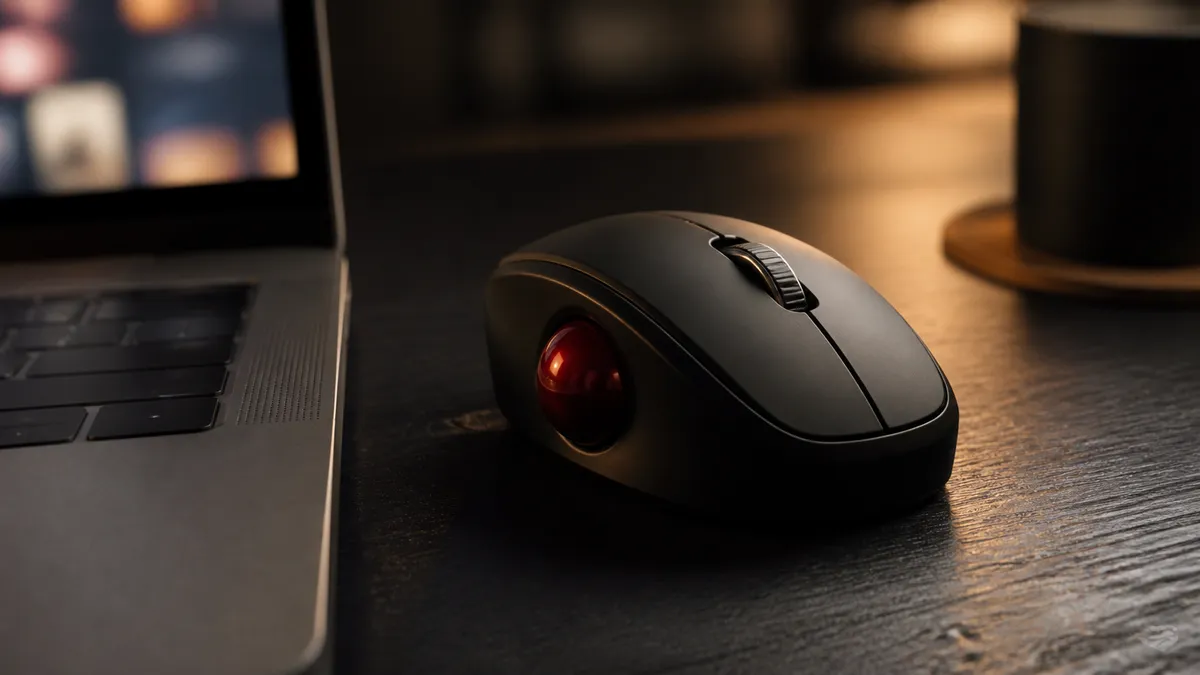
The ELECOM EX-G (M-XT3DRBK-G) is built to answer exactly that question. It is a thumb-operated trackball shaped like a slightly tall mouse: your index and middle fingers keep doing what they have always done on the buttons and wheel, and only your thumb learns a new job — rolling the 34 mm ball instead of dragging the whole device around the desk.
The verdict is simple. The EX-G is the easiest, lowest-commitment entry into trackballs, and for small desks, cramped café tables, and mouse-arm fatigue it can be a permanent solution rather than a stepping stone. Its limits are just as clear: one wireless mode, a USB-A receiver, and a thumb doing all the cursor work.
The gentlest first trackball
ELECOM EX-G Wireless Trackball
M-XT3DRBK-G · Thumb-operated
The simplest entry point: a compact thumb-operated body, six buttons, a 34 mm ball, and long battery life from one AA battery.
- Best for
- First-time trackball buyers and smaller desks
- Connections
- 2.4GHz USB
- Controls
- 6 buttons
EX-G at a glance
| Specification | ELECOM EX-G Wireless |
|---|---|
| Model | M-XT3DRBK-G |
| Operation | Thumb on a 34 mm ball |
| Buttons | 6, including tilt wheel functions |
| Connection | 2.4GHz USB receiver (USB-A) |
| Power | One AA battery |
| Published battery life | Up to 273 days in low-energy mode, per ELECOM’s stated assumptions |
| Sensitivity | Two switchable settings |
There is no Bluetooth and no wired mode on this variant — one receiver, one radio, done. That simplicity is a feature for the audience this device serves, and a genuine limitation for multi-device users, covered honestly below.
What the EX-G gets right
The transition is measured in hours, not weeks
A finger-operated trackball relocates pointing to fingers that used to click, which is why those devices take days to feel normal. The EX-G’s thumb layout keeps click, double-click, drag, and scroll exactly where your hands expect them. The only new habit is thumb-rolling — and because the thumb was doing nothing during pointing anyway, most people are functional almost immediately and comfortable within a day or two.
For a first trackball, that difference is everything. You find out whether the stationary-hand style suits you without re-learning your entire pointer workflow first.
It solves the desk-space problem completely
A trackball needs zero movement area. The EX-G occupies its own footprint and nothing more — no sweeping arcs, no mouse pad, no bumping the keyboard. On an airline tray, a café table, a keyboard tray, or a desk buried in paper, the device works identically. This, more than ergonomics, is the reason many owners never go back to mice.
Set-and-forget wireless
The 2.4GHz receiver pairs out of the box — no Bluetooth menus, no re-pairing after sleep, no codes. Combined with a single AA battery that ELECOM rates at up to 273 days in low-energy mode (an estimate under the company’s stated usage assumptions, not a promise), the EX-G is close to zero-maintenance: plug the receiver in once, change the battery a couple of times a year.
Six buttons is quietly enough
Beyond the standard pair and the wheel, the extra buttons default to browser back/forward — the assignments most people actually use. ELECOM’s Mouse Assistant utility can remap them where supported, with the usual caveat that utility support varies by OS version; the hardware behaves as a normal pointing device even without it.
The limitations to accept
One connection mode, and it needs USB-A
No Bluetooth and no wired fallback means the receiver is the device. Laptops that have gone all-USB-C need an adapter or hub, and losing the tiny receiver means the trackball is inert until you find it. Multi-device workers who move between machines should look at ELECOM’s Bluetooth-capable models instead — the DEFT PRO offers all three connection modes.
The thumb does all the work
Thumb operation is the easiest transition, but it also concentrates every cursor movement in one digit. Most users find this fine; some develop thumb fatigue with heavy use, and anyone with existing thumb discomfort should choose a finger-operated model instead — moving an already-sore thumb all day is the one clearly wrong reason to buy this device.
A 34 mm ball is nimble, not luxurious
The smaller ball suits the quick, short movements of everyday computing. What it lacks is the smooth, flywheel-like glide of the big 44–52 mm balls on finger-operated models — long sweeps across large or multiple monitors take more strokes. Two sensitivity settings help bridge the gap, at some cost in precision at the faster setting.
Cleaning is normal ownership
Like every mechanical trackball, the ball’s contact points collect skin oil and dust and want an occasional wipe. The ball pushes out through an opening on the base; the ritual takes a minute and restores the glide completely. Expect it, and it is a non-issue.
EX-G vs the rest of the ELECOM lineup
Our ELECOM trackball comparison covers all three in depth. In brief:
| If you want… | Choose |
|---|---|
| The easiest start, smallest desk, simplest setup | EX-G |
| Finger control that still fits a normal desk, three connection modes | DEFT PRO |
| Maximum ball, buttons, and features — and the desk space to host them | HUGE Plus |
The EX-G is deliberately the least ambitious of the three, and that is its role: it is the one you can recommend to someone who has never touched a trackball, with near-certainty that the transition will not defeat them.
Who should buy it?
The EX-G is a good fit if:
- You are trackball-curious and want the lowest-risk way to find out.
- Your desk, tray, or table has no room for mouse movement.
- You want wireless that never needs pairing and a battery you change twice a year.
- Your computer has (or can adapt to) a USB-A port.
Skip it if:
- You already have thumb pain — pick a finger-operated model.
- You need Bluetooth or multi-device switching.
- You drive very large or multiple monitors and want big-ball glide.
- You want a premium, feature-dense flagship — that is the HUGE Plus’s job.
Frequently asked questions
How long does it really take to get used to?
Basic competence typically arrives the same day, because only the thumb learns anything new. Fine control — text selection, small UI targets — sharpens over the first week. This is the shortest adaptation in the trackball category.
Does it work on a Mac?
It behaves as a standard USB pointing device for core functions. Button remapping depends on ELECOM’s utility software, whose support varies by OS version — verify the current Mouse Assistant release if custom assignments are essential to you.
Is it good for gaming?
Casual and strategy games, yes. Fast-twitch shooters, no — that is true of trackballs generally, and the EX-G makes no claims otherwise.
Left-handed version?
The M-XT3DRBK-G reviewed here is right-handed; the thumb-ball design is inherently handed. ELECOM has made left-hand variants in this family, but confirm the exact model number and current availability before ordering.
Battery type and life?
One AA. ELECOM publishes up to 273 days in low-energy mode under its stated assumptions — real life varies with use and mode, but “change it with the smoke-alarm batteries” is the right mental model.
Final verdict
The EX-G is the right first trackball for almost everyone, and a permanent fixture for many. It converts the intimidating trackball question into a familiar-shaped device, a one-day adjustment, and a stationary hand on a crowded desk. The single 2.4GHz connection and thumb-only workload are honest constraints, not flaws — they are what the simplicity costs.
Start here. If the trackball style wins you over and you outgrow it, the finger-operated models are waiting — and if it turns out trackballs are not for you, you found out with the cheapest, gentlest experiment the category offers.
Check your USB-A situation, then start here
ELECOM EX-G Wireless Trackball
M-XT3DRBK-G · Thumb-operated
The simplest entry point: a compact thumb-operated body, six buttons, a 34 mm ball, and long battery life from one AA battery.
- Best for
- First-time trackball buyers and smaller desks
- Connections
- 2.4GHz USB
- Controls
- 6 buttons
Sources and methodology
This is a research-based buying guide, not a hands-on test. Specifications were checked against the manufacturer’s published product pages and manuals on August 15, 2026. Retail availability and pricing change independently of these specifications.